This article covers:
What is a Royalty Split?
Royalty splits are an easy way to automatically pay multiple owners of a song. When a song has multiple owners, Sonomo can make things easy by automatically splitting monthly royalty payments according to how you've defined the specific song's Royalty Split.
A Royalty Split is a permanent record outlining who owns the song's original rights. In addition to the artist, typical members of the royalty split can be a label, a producer or a contributor of any sort.
Users placed on your Royalty Split will be able to:
- View the song's live streaming performance metrics
- View the song's Royalty Split
- Receive monthly payouts and details of the calculation
Who can create a Royalty Split?
Royalty Splits can only be defined by the owner of the account who initially distributed the song. This role cannot be transferred or re-assigned.
How can I create a Royalty Split?
- Log in to your Sonomo Dashboard and select the album you wish to setup royalty splits for.
-
Once in the album view, you'll see a "Setup royalty split" prompt next to every song. If ownership of all songs in the album is identical, you can also setup splits for all songs at once.

-
The first place to start is your own ownership. If there are other owners, you can add them one by one, adding an email address and corresponding % owned for each owner. The total, including your own share, must add up to 100% of course. Give the details one last check before you submit to make sure there are no typos.
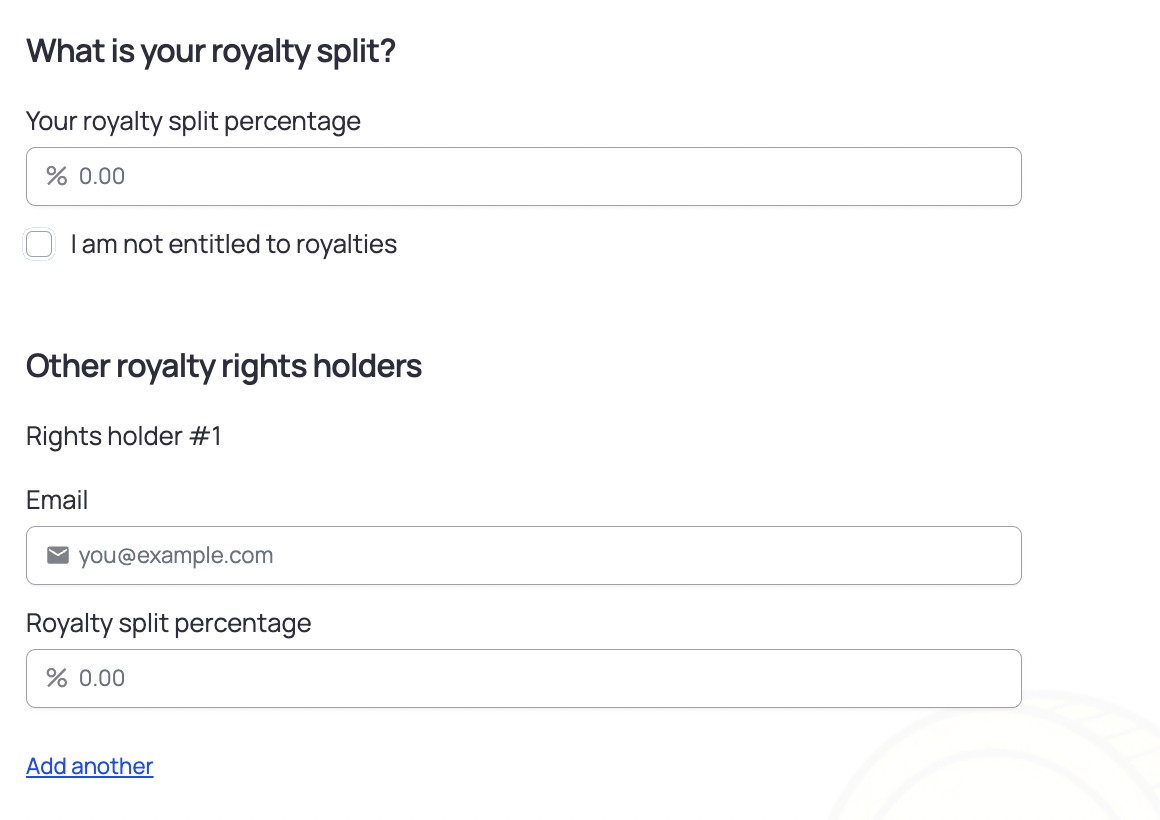
-
Any rights holders you add will receive an email notification about their ownership in a song, along with a link to set up their free Sonomo account to withdraw earnings.
-
The account owner who distributed the song can also view, edit, and delete existing royalty splits from your dashboard by selecting "View splits & rights Holders" from the menu ⋯ next to the desired song.
-
View Rights Holders: Access a comprehensive list of rights holders associated with the track's split.
-
Check Split Percentages: View the percentage allocation for each rights holder. Other rights holders can only see their own percentage, with all other allocations grouped under "Other."
-
Monitor Sign-Up Status: Review the sign-up status of rights holders and copy the invitation link to resend if needed.
-
Edit Split: Modify existing royalty splits for tracks that are not yet investable and have not received any royalty payouts.
-
Delete Split: Remove existing royalty splits to allow for a fresh setup, provided you have the necessary permissions and the track wasn't made investable and hasn't received any royalty payouts yet.
-